A calm task manager for your browser
Your brain is a terrible to-do list.
Get every task out of your head in 3 seconds and into one calm place. TaskPocket shows you only what matters today — on any device, in any browser.
Free plan · No credit card · Ready in 30 seconds
- tasks captured
- 2,400+
- tasks captured
- tasks finished
- 1,800+
- tasks finished
- projects organized
- 180+
- projects organized
The problem
Right now, your tasks live in 6 different places
Every place you store a task is one more place you have to remember to check. That's why things slip — not because you're disorganized, but because no human can poll 6 inboxes all day.
one inbox for all of it
TaskPocket pulls them all into one inbox that takes 3 seconds to feed — so checking what's next takes one glance, not six.
The tour
Five views. The whole system.
No boards, no graphs, no 40 settings. Each view answers one question, and together they run your day.
Inbox
Capture at the speed of thought
A thought shows up, you press one shortcut, type it, hit enter. Three seconds, and it's safely in your Inbox — with notes, checklist, dates, or a project if you want them. You're back to what you were doing before the focus is gone.
Today
Wake up to one short list
Today shows only what you chose for today, grouped by project, with nothing else fighting for attention. Most days that's a handful of tasks. Finish them, and you're actually done — not staring at 200 overdue items.
Upcoming
See the week before it sees you
Every dated task, laid out day by day. Glance at tomorrow before you log off, reshuffle Monday in one minute, and never get surprised by a Thursday again.
Deadlines
Two dates — because start ≠ due
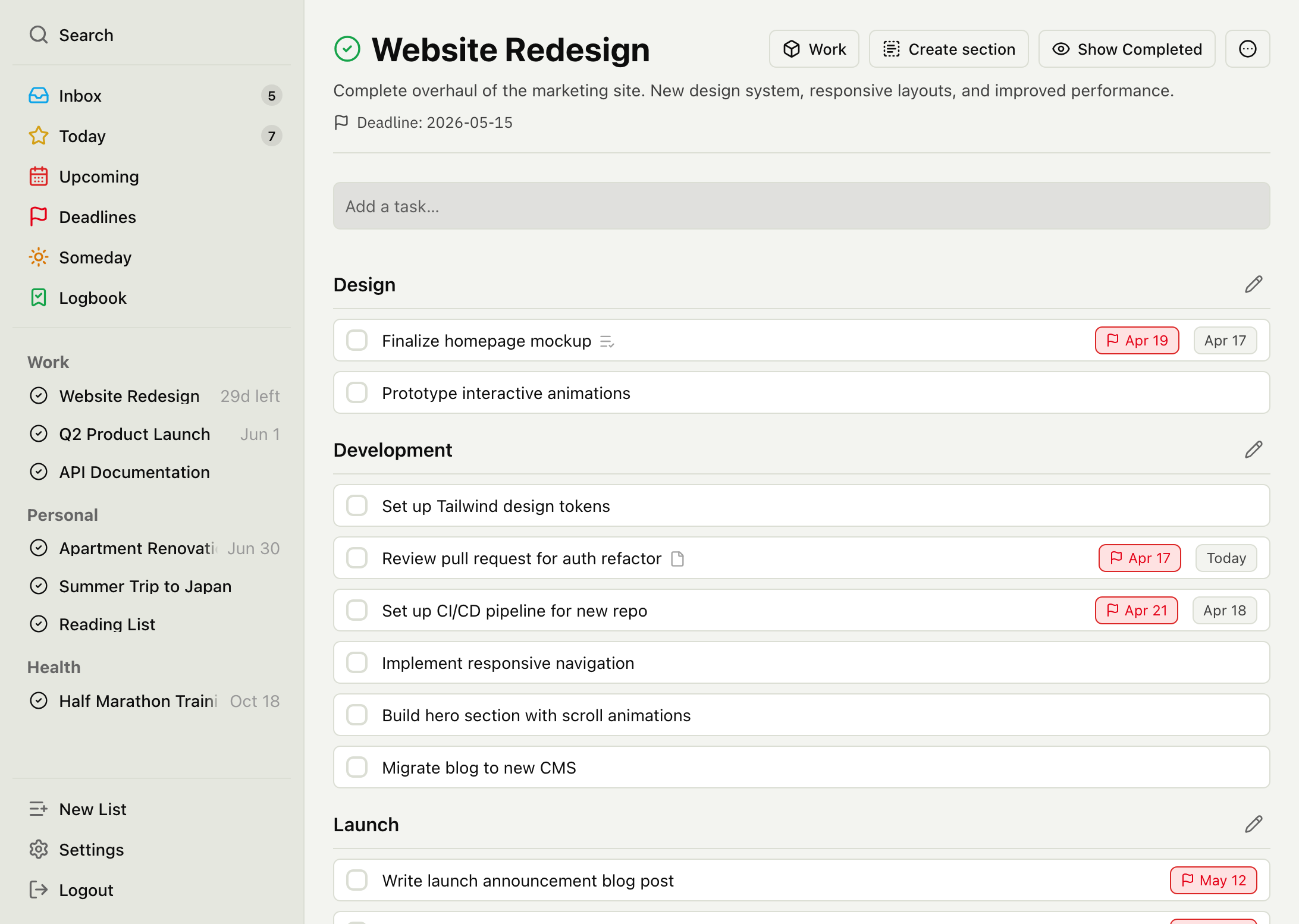
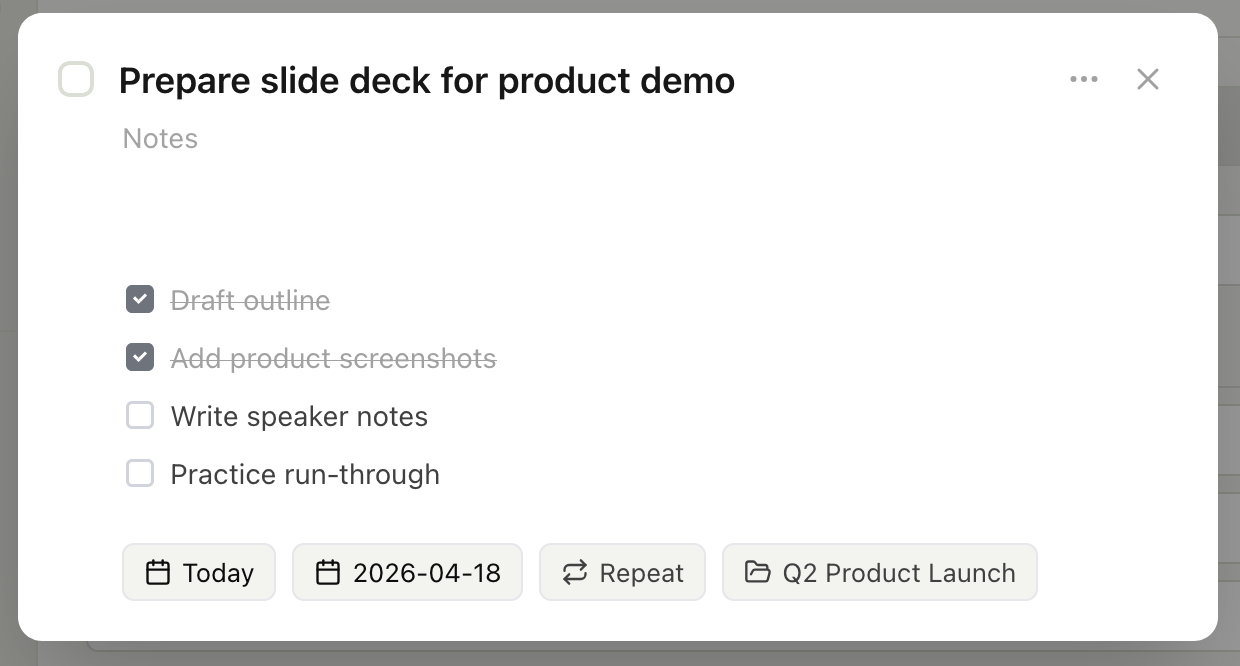
“Prepare the demo” starts Tuesday but is due Friday. Most apps make you pick one date and hope. TaskPocket gives every task a start date and a separate deadline with a red flag you can't miss — plus a Deadlines view that sorts every cutoff by urgency.
Completed
End the week with proof you did things
Finished tasks don't vanish — they're filed in the Completed view, grouped by the day you got them done. Scroll back through any week and see exactly what you accomplished. It does wonders for the Sunday-evening dread.
How it works
Three habits. That's the whole system.
Capture in 3 seconds
A thought shows up, you press one shortcut, type it, and it's safely in your Inbox. Back to what you were doing before you lose focus.
Sort in 1 minute
Once a day, empty the Inbox: this is for Today, that's Upcoming, that big idea goes to Someday. No tags, no priorities, no setup ritual.
…or drop it into a project. One minute, once a day.
Finish and forget
Work from a short Today list. Everything you check off lands in Completed — proof of what you actually did, grouped by day.
Saved to Completed
And the basics, done properly
Everything a task manager should do well — without the feature bloat that makes other apps feel like work.
Projects, sections & areas
Break big goals into projects, organize with sections, group projects under areas like Work or Health. Reorder all of it by dragging.
Recurring tasks
Daily, weekly, monthly, yearly. Check one off and the next occurrence appears on its own — pay rent, water plants, ship the report.
Checklists
Break a task into subtasks. Reorder by drag, or paste a whole list at once.
Someday list
A guilt-free home for “not now”. Ideas stay out of Today and Upcoming entirely — saved, silent, ready when you are.
Global search
Any task, any project, in seconds — with full keyboard navigation. New task is one shortcut too: Ctrl+Shift+N.
Drag & drop everything
Tasks, sections, projects, areas — reorder all of it by dragging. Works on mobile too.
Your data, exportable
One-click export of everything as JSON or CSV. No lock-in, no hostage data.
Why this exists
I've tried a lot of task managers — probably all of them. Some were so bloated with features that managing tasks became its own job. Some just looked off. Others were locked to a single platform — Apple-only or Windows-only. So I built my own: simple to use, fast, and available wherever you are — on the web today, with an iOS app in development.
FAQ
Questions & answers
Right now TaskPocket is web-only, but it works great in any mobile browser. A native iOS app is in development, with Android right behind it.
Yes. TaskPocket is completely free right now — unlimited tasks, projects, and areas, no credit card. Paid plans may come later, but early users who signed up before then keep everything at no cost.
Always. Export everything as JSON or CSV in one click, anytime. Import from other task apps is on our roadmap. Your data is yours — no lock-in.
Someday is for tasks and ideas you want to remember but aren't ready to work on. They stay out of Today and Upcoming until you move them. Think of it as a parking lot for future plans.
Into the Completed view, grouped by the date you finished them. You can look back and see everything you've accomplished. It's your productivity journal.
Most task apps keep adding features until managing your tasks becomes its own task. TaskPocket stays deliberately small — capture, organize, done. And every task gets two dates: the day you plan to start, and the day it's actually due. That second one is the one most apps forget.
The 30 tasks in your head aren't getting done in there.
Move them somewhere calm. It takes 30 seconds to start and costs nothing.
Free plan · No credit card · Cancel anytime