

Task
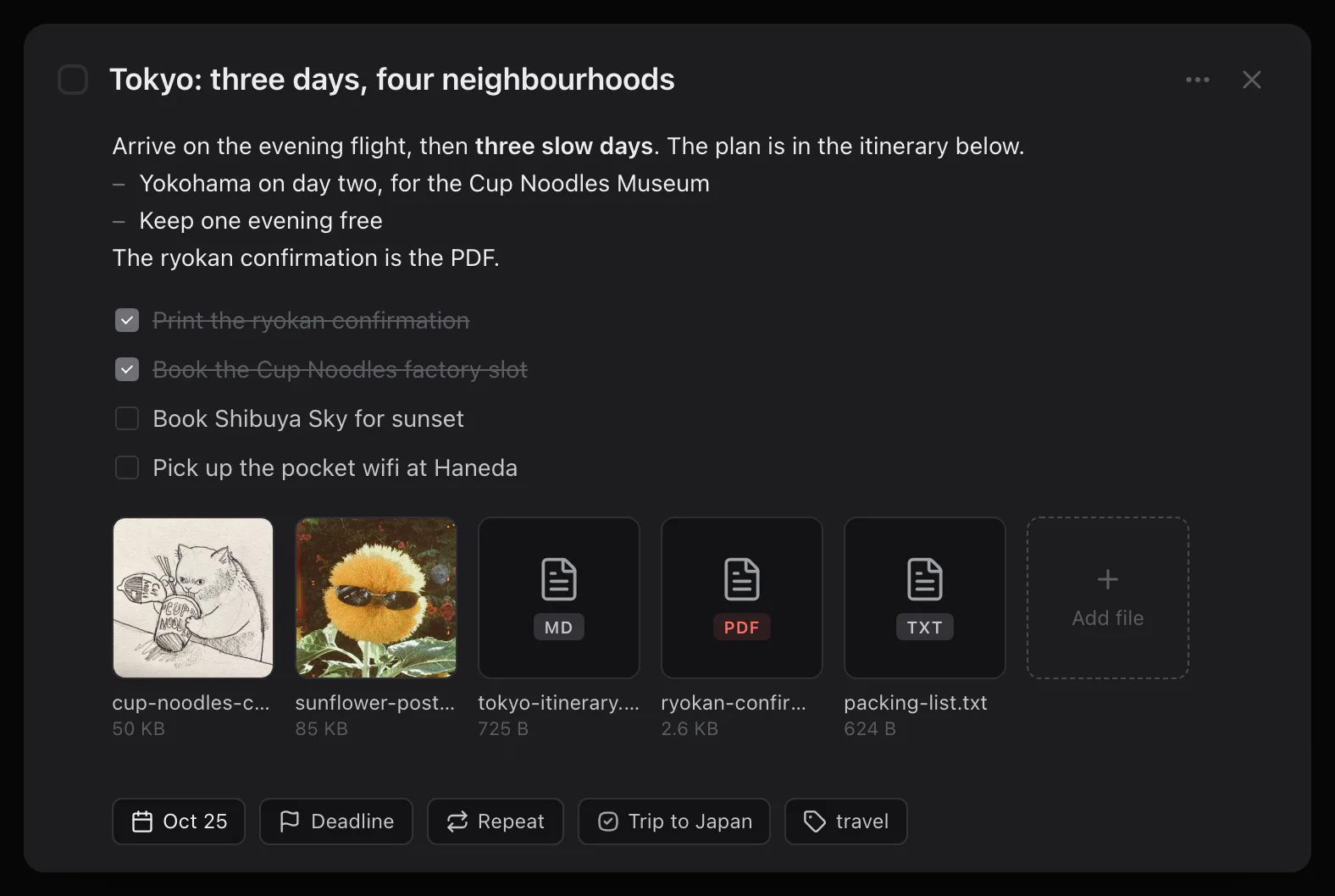
The atom. Title, notes, a checklist, dates, a repeat rule, and the files that go with it.

Most task apps quietly become a project of their own — tags to maintain, filters to tune, a system to keep tidy. This one has seven words in it and no method to learn.
Type a date or a repeat — it gets lifted out of the sentence.
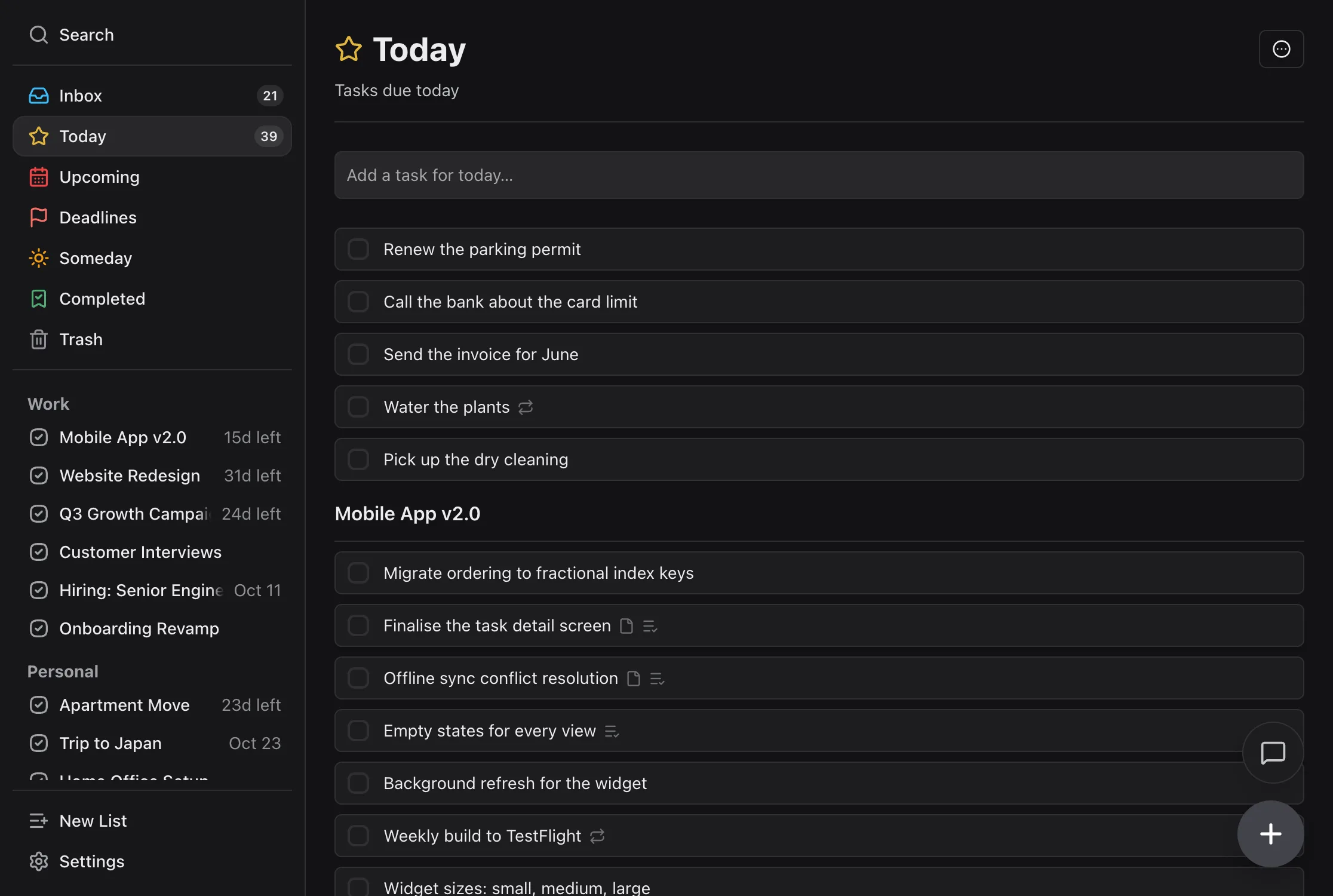
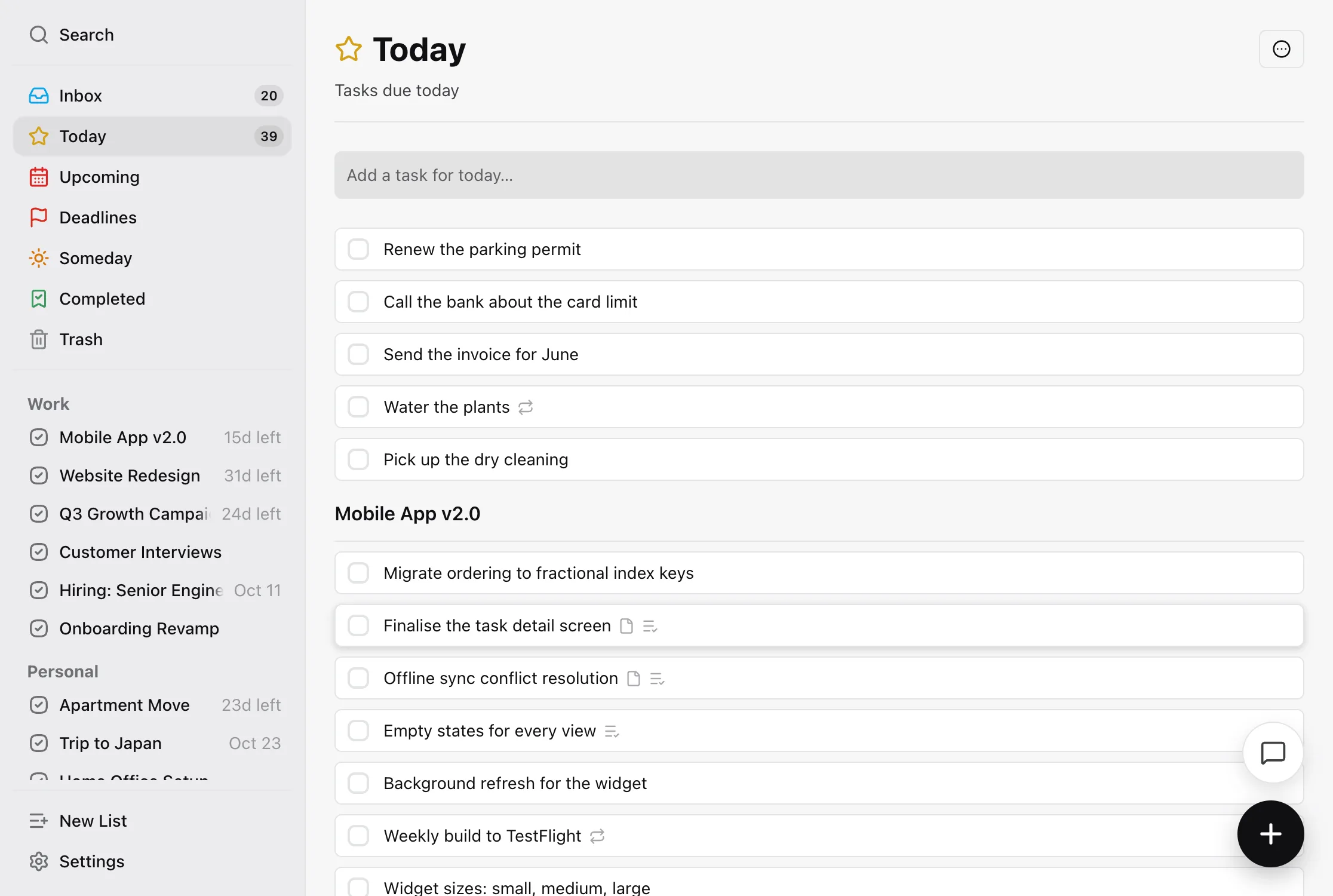
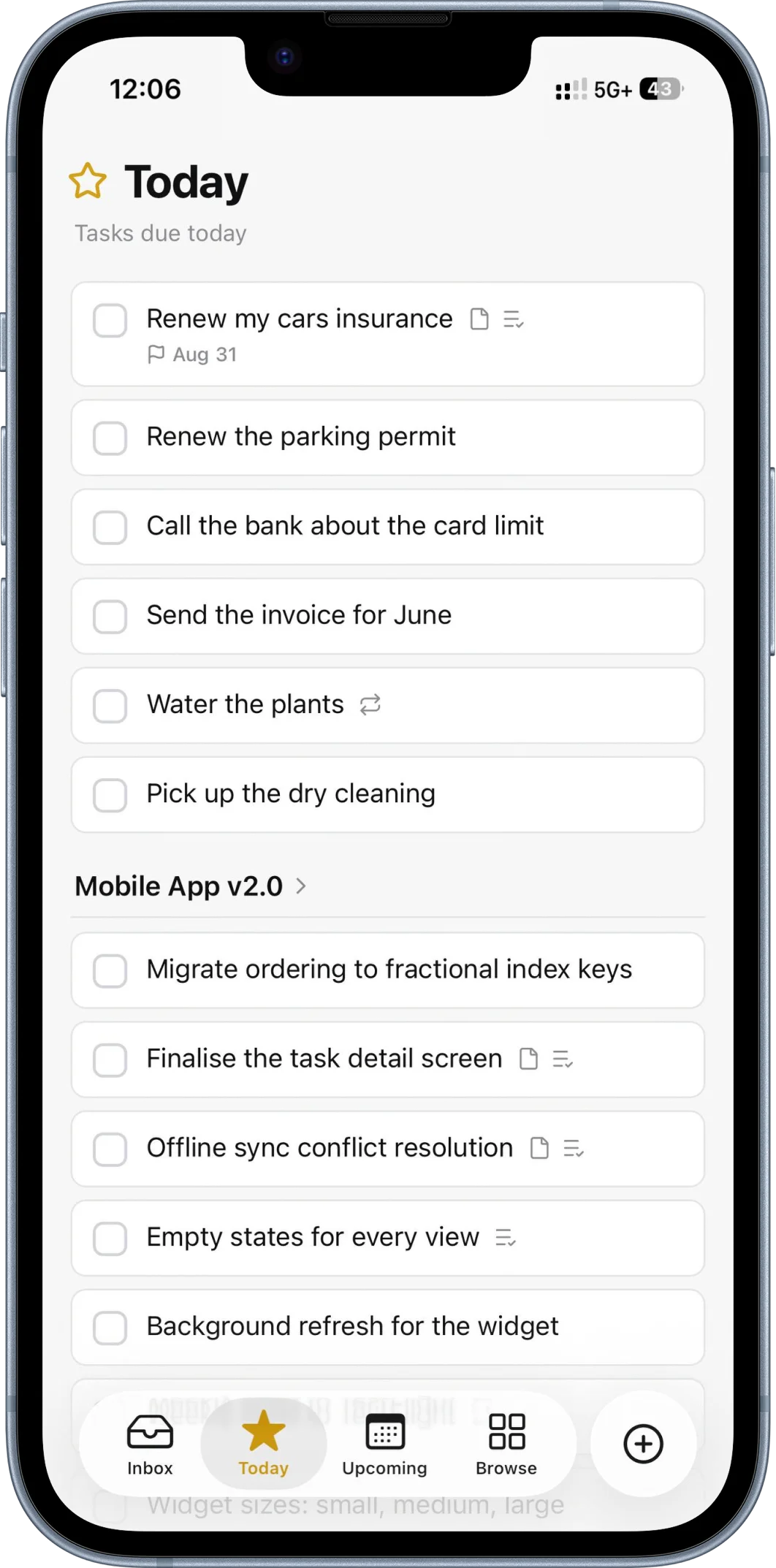
Due today or earlier. Loose tasks first, then grouped by project.
Stay on top of work
Track projects, deadlines and meeting prep without getting overwhelmed.
Your tasks are yours.
TaskPocket makes money one way: people paying for it. Nothing is sold, nothing is scanned to sell you something. Export the lot as JSON whenever you like — and if you want an assistant reading your list, you connect your own.
Stay organised and focused.
Everything sorts itself into Today, Upcoming, Deadlines and Someday, so you see only what you need, when you need it. The rest waits where you left it.
There's no method to learn here. Seven nouns, and that's the system.
The two nouns everything is made of
The atom. Title, notes, a checklist, dates, a repeat rule, and the files that go with it.
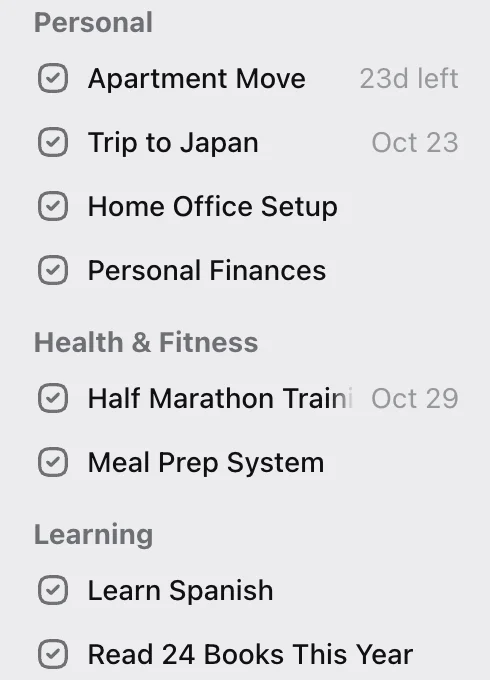
Something without an ending. Work. Home. Projects live inside areas so the sidebar stays short.
Every task lives in exactly one of three places
Where things land when you haven't decided yet. Empty it when you feel like it.
Something with an ending. “Launch v2”, “Move flat”. It has a progress ring, and you can finish it — archived with its history rather than deleted.
Things you might do, with no plan to do them now. It's a place, not a label: moving a task to Someday takes it out of its project, and moving it back is one drag.
And two dates, which decide where it shows up
The day you plan to pick it up. This is what Today shows you.
The day it's actually due. Different question, different field.
Most apps let you build any system you like, which is how building the system becomes the work. This one already made those choices.
Notes with the formatting you'd expect — bold, italic, and links that stay clickable. Paste a URL and it becomes a link; paste from a doc and the markup survives.
Then a checklist underneath, for the steps that don't deserve tasks of their own. Enter splits an item in two, Backspace merges it back, and you can drag any of them into a different order.
Prep the Q3 review
Board wants the headline numbers plus one slide on what changed. Last quarter's deck is in the shared drive — reuse the layout, don't rebuild it.
Every third Thursday. The last business day of the month. The 15th.
Four weeks after you actually finish it — not four weeks after it was due. That's the difference between “water the plants every 2 weeks” and “water the plants 2 weeks after I last watered them”, and almost nothing gets it right.
Stop after twelve times, or on a date you pick. Skip a week without breaking anything. And unchecking it genuinely undoes it: the dates roll back, the count goes back up, the checklist comes back.
Repeat
Repeat every
On
Repeats
Ends
This is the real editor. Change anything — the line at the bottom is the app's own summary of the rule you just built.
Type #call into a title and the task carries the tag. A name can have spaces in it, so #waiting for works, and #Call is the same tag as #call. Tags are free on every plan.
A smart project is a saved filter that sits in the sidebar with your projects. “Calls” is every task tagged #call or #meeting. “This week at work” is everything starting in the next seven days in your Work area. It keeps itself up to date as tasks change, so you never file anything into it.
Smart projects are Premium. Tags go on tasks only, not on projects or areas, and there's no page that lists one tag on its own. Search for #call, or make a smart project for it.
Ring Anna about the lease #call #waiting for
A new task tagged #call shows up in Calls by itself. Nothing is moved or copied.
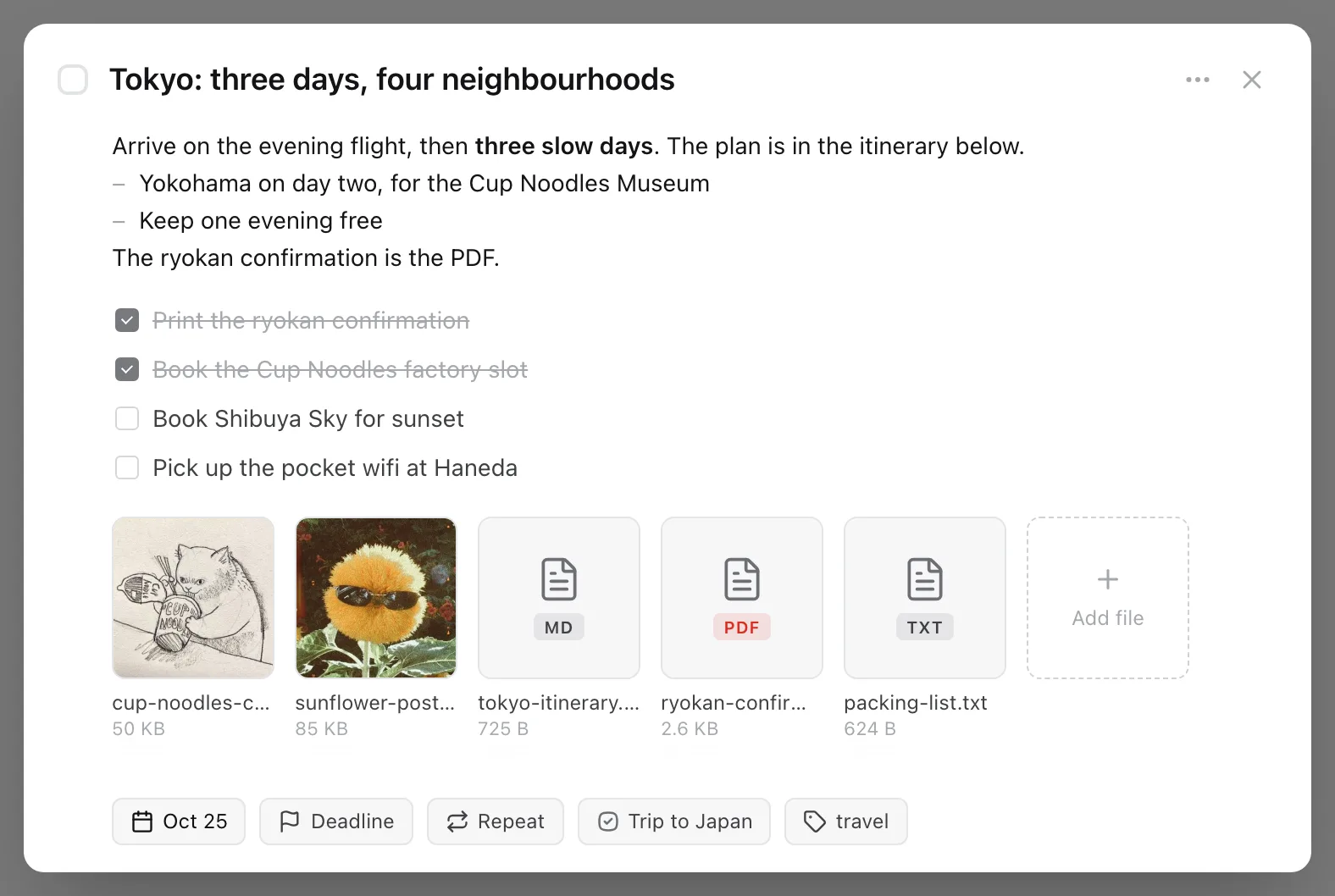
The ryokan confirmation, a photo of the form you have to bring, the itinerary someone sent you. Drop them on the task they belong to, in the web app, or from the camera, your photo library or Files on your iPhone.
Pictures open in a viewer. Text and Markdown files open in the app, and a PDF opens in the browser. Office files, Pages documents and anything else download, or on the iPhone, open in the share sheet.
Free gives you 10 MB a file and 100 MB in total. Premium raises that to 100 MB a file and 5 GB. A task holds up to 20 files. No video or audio, and files need a connection: they don't open offline.
Write a task the way you normally would. If it contains a date or a repeat, TaskPocket sets it for you and lifts the phrase out of the title. You can always change it afterwards.
No model, no round trip. It works with the wifi off.
Submit the report tomorrow
Due tomorrow
Call the dentist next monday
Due next Monday
Team standup every weekday at 9am
Repeats every weekday
Pay rent every month on the 1st
Repeats monthly on the 1st
Water the plants every 2 weeks
Repeats every 2 weeks
Renew the passport Jun 30
Due 30 June
AI, on your terms
TaskPocket doesn't ship an assistant. It ships a socket. Paste one URL into Claude or ChatGPT, approve what it can touch, and the assistant you already use can plan your day, clear your inbox, and turn meeting notes into tasks.
Claude this month, ChatGPT the next, or whatever ships next year. Anything that speaks MCP connects to the same URL, so you're never stuck with the one a to-do app picked for you.
A built-in assistant is a model bill, and every subscriber carries it. There's no bill to pass on here: the MCP server and the API are on the free plan. Whatever your assistant costs stays between you and its maker.
Nothing leaves TaskPocket until you connect something. After that, tasks go to that one assistant, only when it calls a tool, and it stops the moment you disconnect it in Settings.
Your assistant, connected to TaskPocket
What is on my plate today, and what can wait?
Three things are dated today: • Call the dentist (reminder at 09:30) • Send the Q3 invoice, in the Freelance project • Draft the launch post, in Spring launch, with a 10 Oct deadline Two more are overdue from last week: Renew passport and Book the van. Nothing else is dated, so the rest can wait.
Move the dentist call to Thursday and park the van booking in Someday.
Done. Call the dentist is now on Thursday 2 Oct, reminder kept at 09:30. Book the van is in Someday with no date.
 Claude
 ChatGPT
Tasks, projects, areas, and tags over plain JSON, with tokens you issue in Settings and scope to read, write, or both. An OpenAPI document comes with it, and it's free on every plan. No webhooks: poll with updatedSince.
GET /api/public/v1/tasks?view=today
Authorization: Bearer tp_pat_…The whole surface area of the app, so you know exactly what you're signing up for.
Today is due today or earlier — loose tasks first, then grouped by project. Upcoming, Deadlines, Someday and Completed sit beside it, and that is the entire set.
Work
Home
Launch v2
Move flat
Type the date and the repeat into the title. The parser lifts them out.
Pay rent on the 1st, every month
Capture, search and complete without reaching for the mouse.
The day something is actually due is a different question from the day you plan to start it. This view answers only the first one.
Overdue
This week
Later
Third Thursday, last business day, every 2 weeks after completion.
The whole app, on a plane, no signal. It syncs when you're back.
A sidebar that stays short because projects finish.
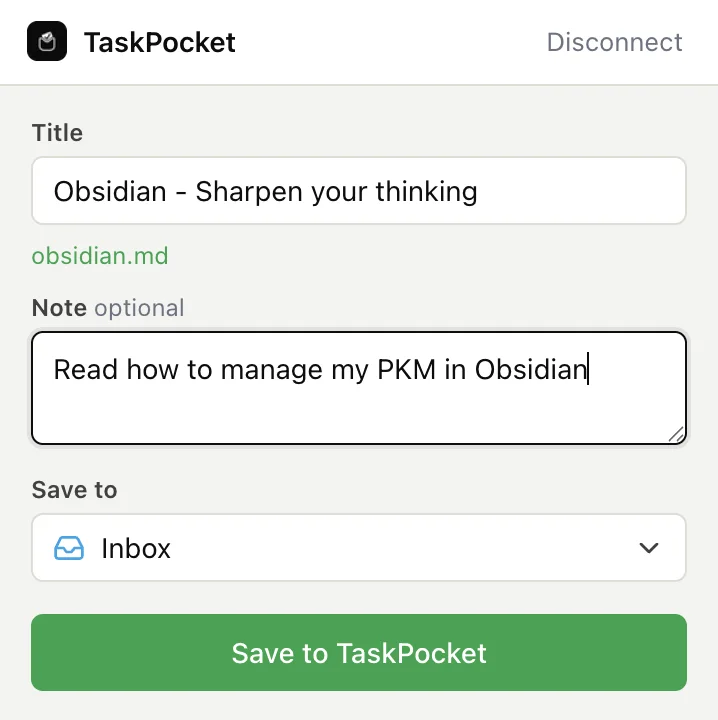
Keep the page you're reading, with the selected text as the note.
Every task, project and checklist in one JSON file, on every plan.
{
  "areas": [ … ],
  "projects": [ … ],
  "tasks": [
    { "title": "Pay rent",
      "dueDate": "2026-09-01",
      "repeat": "monthly" }
  ]
}Type #call in a title and it's tagged. Spaces in names are fine. Free on every plan.
Ring Anna about the lease #call #waiting for
Saved filters that sit with your projects and fill themselves. By tag, date, list, or title. Premium.
Pictures, PDFs, documents and notes, on the task they belong to. Previews in the app. 100 MB free, 5 GB on Premium.

cup-noodles-cat-sketch.jpg
50 KB

sunflower-postcard.jpg
85 KB
tokyo-itinerary.md
725 B
ryokan-confirmation.pdf
2.6 KB
packing-list.txt
624 B
Day 2: Yokohama

I built this because every task app I liked was locked to one operating system, and every one that wasn't had grown into something I needed a weekend to set up.
There's no team and no investors, which means nobody here needs this to become an enterprise product. Every task on the roadmap lives in TaskPocket — I use it to build it.
The changelog is public and dated. If something's missing, it's on the roadmap or it's a no, and I'll tell you which.
Start for free, upgrade when you need more. No credit card required to sign up.
$0/forever
No card, no trial clock, no expiry.
For anyone who wants a calm place to manage tasks.
$3.99/month
Billed monthly. 7-day free trial, then cancel anytime.
$34.99/year
That's $2.92 a month — you keep $12.89 a year versus paying monthly. 7-day free trial.
$59.99 once
Pay once, keep Premium forever. No subscription, no renewal.
For anyone who has outgrown five projects.
Prices show in your local currency at checkout. Nothing you've already made is deleted if you go back to Free. Everyone who signed up while TaskPocket was free for everyone keeps Premium at no cost — that promise stands.
Not yet. It's in development. The web app works in any mobile browser in the meantime, and you can add it to your home screen. It's not as good as a real app, and I'm not going to pretend otherwise.
Yes. Put a time on a task and you get a notification at it — in your browser with the tab closed, and on your iPhone. Free on every plan, one reminder per task, and it's the only thing TaskPocket will ever send you: no digests, no streaks, no nagging. Location reminders are the one kind it doesn't do; that's Apple's territory and they're better at it.
Not ours, but you can connect your own. TaskPocket has no assistant, no summariser and no model reading your list; the date parser is a deterministic grammar, not a language model. What it does have is an MCP server: add one URL in Claude or ChatGPT, approve access on a consent screen, and your assistant can read and change your tasks. Disconnect it in Settings at any time. Your list isn't sold and isn't training data for anyone's model — that's a promise about the business, not about which features exist.
They're both good, and both bigger than this. The honest answer is that TaskPocket does less on purpose: no assignments, no comments, no shared workspaces, no AI assistant, no habit tracker, no Pomodoro timer. Seven words make up the whole app, and it's built by one person who uses it every day. If you want a tool your team lives in, use theirs.
On the iPhone, yes — your tasks live in a real database on the device, so you can add, reorder and complete things with no signal, and it syncs when you're back. The web app needs a connection. That's a real difference between the two, and worth knowing if you spend time on planes or trains. Files are the one exception on the phone: adding or opening one needs a connection.
Nothing is deleted. You keep every project and area you made. While you're over the free limit of 5 projects and 2 areas, you can't create new ones or restore any from the Trash. Files work the same way: everything you uploaded stays and opens, and new uploads wait until you're under 100 MB. Export stays free on every plan.
Android, and importing from other apps. Neither is in TaskPocket today — I'd rather tell you that than list them on the pricing page as if they were.
Yes, and here's what that means concretely. One click exports every task, project and checklist as JSON, and every file you attached downloads from Settings → Storage. Deleting your account removes everything immediately, files included. Your tasks are never sold, never used as training data, and never read by an AI unless you connect one yourself.
Roughly in this order, and without dates on purpose — a date on a roadmap is a promise, and I would rather ship these than defend a calendar. Nothing here exists yet.
A native app rather than the web app on a phone screen. The web app works on Android today; this is not that.
After Android. Same list, in a window, without a browser tab.
Free plan, no card, about thirty seconds to your first task.